
Updating Your Name Servers to Point to Web Central Station
- Login to your Bluehost Control Panel.
- Click the Domain Manager, located in the Domains section.

- Choose your domain name.

- Please click the Name Servers tab

- Select Use Custom Nameservers
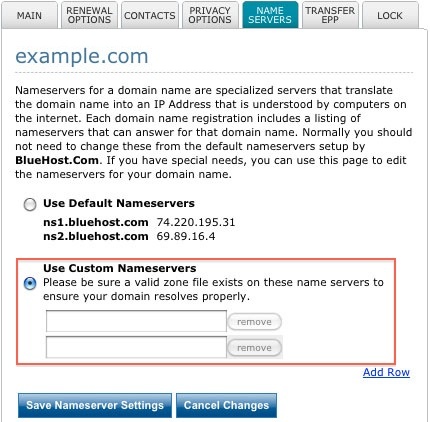
- Enter the two nameservers: ns1.dnsmadeeasy.com,ns2.dnsmadeeasy.com
- Click Save Nameserver Settings
Note: Please allow 24-72 hours for the DNS propagation of name servers to fully propagate.